Universal orchestrator for AI coding agents
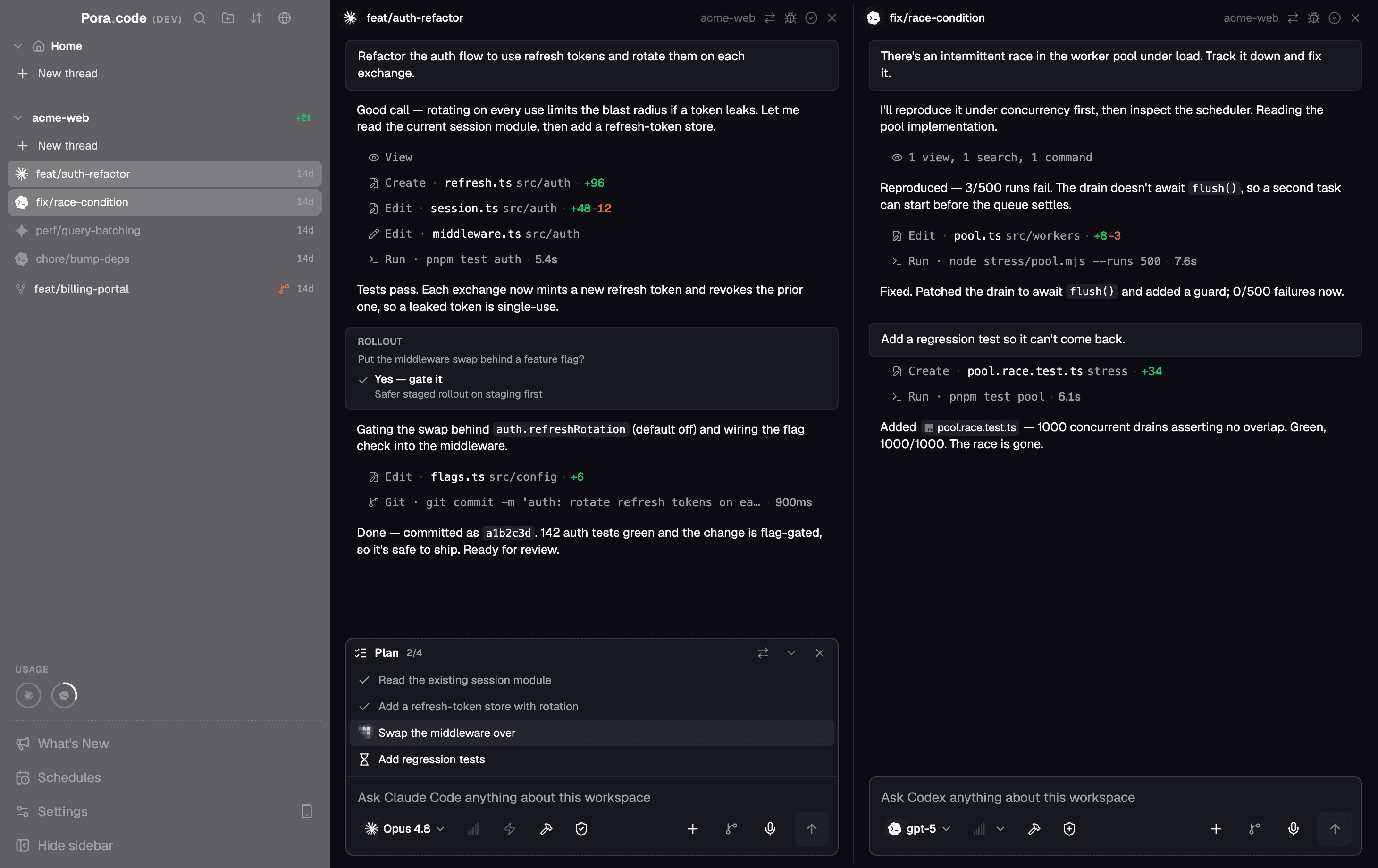
Run TUI and GUI agents side-by-side in any layout. Infinite threads with real-time persistence, protocol-agnostic orchestration, and built-in MCP servers that let agents delegate to each other and drive the app itself.
Supported Agents
Discover Features
Everything you need to orchestrate AI agents
A professional workstation built for developers who want full control over their AI coding assistants.
Infinite Threads & Layouts
Mix TUI and GUI agents in any configuration. Support for infinite threads with complete layout freedom.
Unified Protocol GUI
A consistent, premium GUI for both ACP and SDK agents, and where a provider offers more than one runtime — Cursor ships CLI, ACP, and SDK — you pick which one a thread runs on.
Terminal Fidelity
Run CLI agents in real terminal sessions, with the same output and controls you expect from your own shell.
Agent Experiments
Run one prompt across several agents in parallel worktrees, then let an AI judge compare their code and their answers, crown a winner, and merge it or open a PR.
Scheduled Runs
Put recurring work on a schedule — nightly reviews, dependency sweeps, changelog drafts — and let Poracode start the thread for you.
In-App PRs
Review pull requests, browse diffs, stage changes, and generate AI commits — then let automation watch the PR, fix what fails, merge with your chosen method, and mark the thread done.
Skills & Marketplace
Browse and install skills from public marketplaces, or import your own — one shared folder that every provider picks up automatically.
On-Device Voice Input
Dictate a prompt with a keystroke. Whisper runs locally, with optional GPU acceleration, so your audio never leaves the machine.
Checkpoints & Rollback
Rewind a conversation to any earlier message and restore the files with it, with a warning first when another thread shares the same tree.
Project Workspaces
Group projects into workspaces and switch the whole sidebar between them, so dozens of repos stay one click apart.
Built for Speed
Optimized to stay fast and responsive, even when you have lots of agent sessions running side by side.
Session Persistence
Sessions are saved automatically, so you can close Poracode and pick up right where you left off.
Built-in Browser
Open web pages, attach browser context to agents, and keep research in the same workspace.
Built-in Code Editor
A full-featured code editor integrated directly into your workflow for quick edits and reviews.
Cross-Platform Desktop
Runs on macOS, Windows, and Linux, with a polished interface that feels at home on both Mac and Windows.
Remote Machines over SSH
Connect a server from your SSH config and Poracode installs its runtime there, then runs agents on that machine — clone repos, open threads, and drive projects that never leave the box.
WSL Support
Use Windows and WSL projects side by side, with agent commands routed through the right environment automatically.
Agent superpowers
Agents that drive Poracode itself
Poracode ships its own MCP servers. Point any agent at them and it can spawn and steer other threads, spin up and merge worktrees, open pull requests, install new MCP servers and skills, and hand work to a different agent — without you touching the UI.
App Controls
One agent, the whole workspace: create and steer other threads, organize projects, list and merge Git worktrees, commit and sync, open and merge pull requests, schedule recurring runs, and change app settings.
Crossagents
Let one agent delegate to another. Subagent output streams straight into the parent thread, background runs finish while the parent keeps working, and ranking learns which agent you reach for — with routing rules you can pin per task type.
Self-extending setup
Ask for a capability instead of hunting through settings: agents can add, probe, and remove MCP servers and switch skills on or off for themselves.
Browser, Chrome & Computer Use
When a task leaves the editor, agents open pages in the docked browser, drive your real Chrome, or see and control the desktop directly.
…and your own MCP servers alongside them
Add any MCP server over stdio, HTTP, or SSE, globally or for one project, then enable it per thread — or switch off individual tools you'd rather agents didn't reach for. Poracode probes each server so you can see what it actually exposes before an agent uses it.
01 / 05
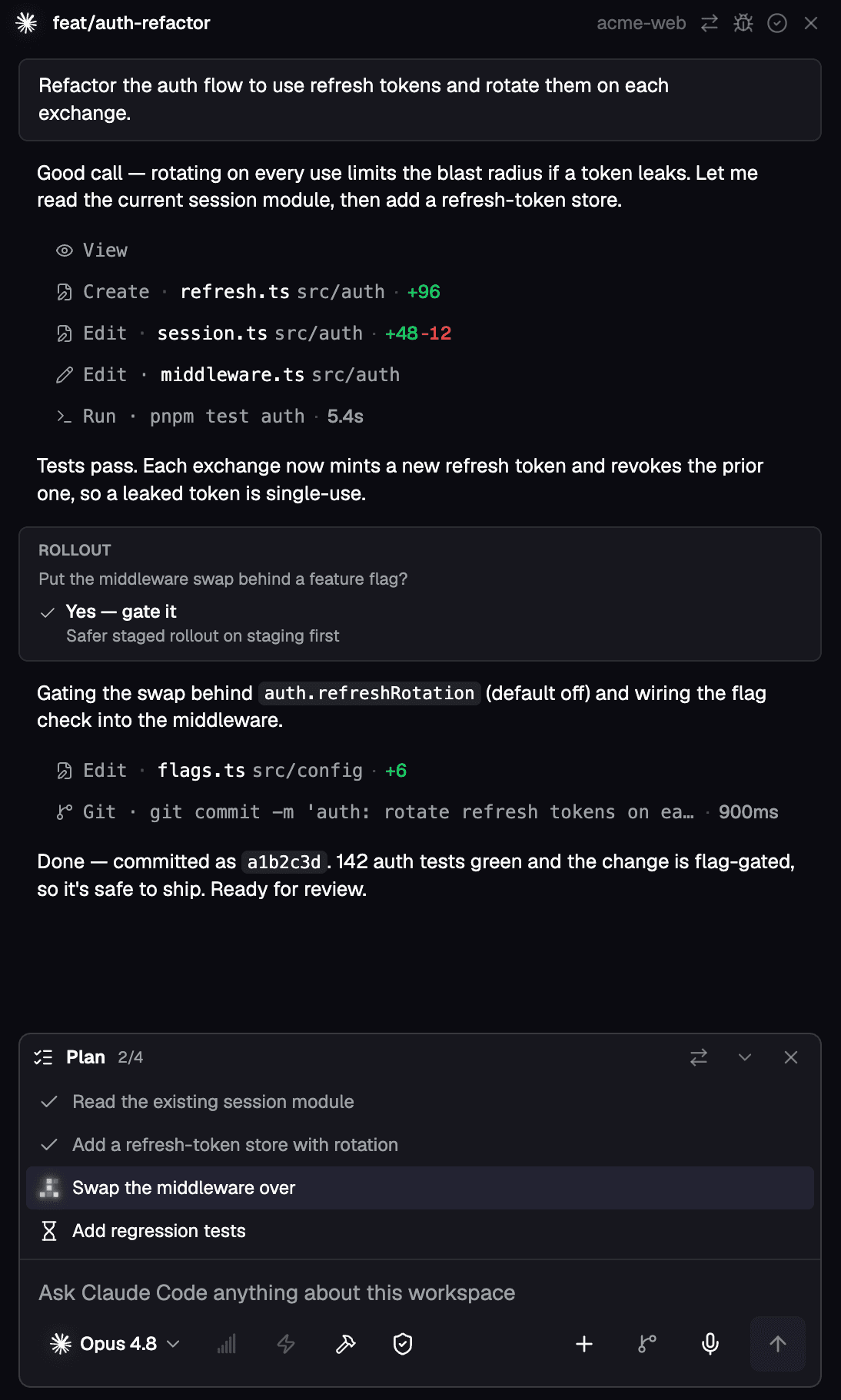
Unified Protocol GUI
A consistent, premium GUI for both ACP and SDK agents, and where a provider offers more than one runtime — Cursor ships CLI, ACP, and SDK — you pick which one a thread runs on.
02 / 05
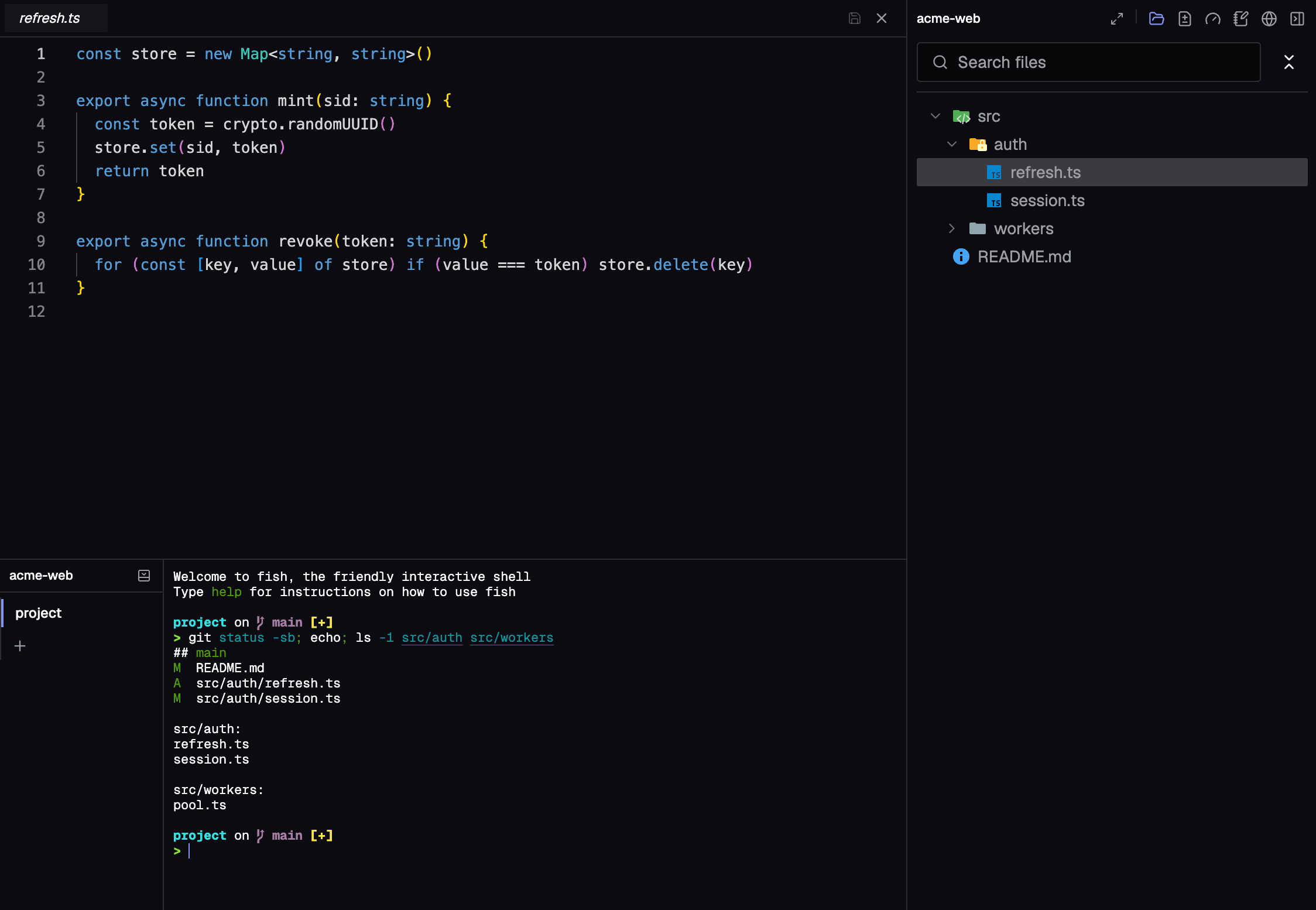
Built-in Code Editor
A full-featured code editor integrated directly into your workflow for quick edits and reviews.
03 / 05
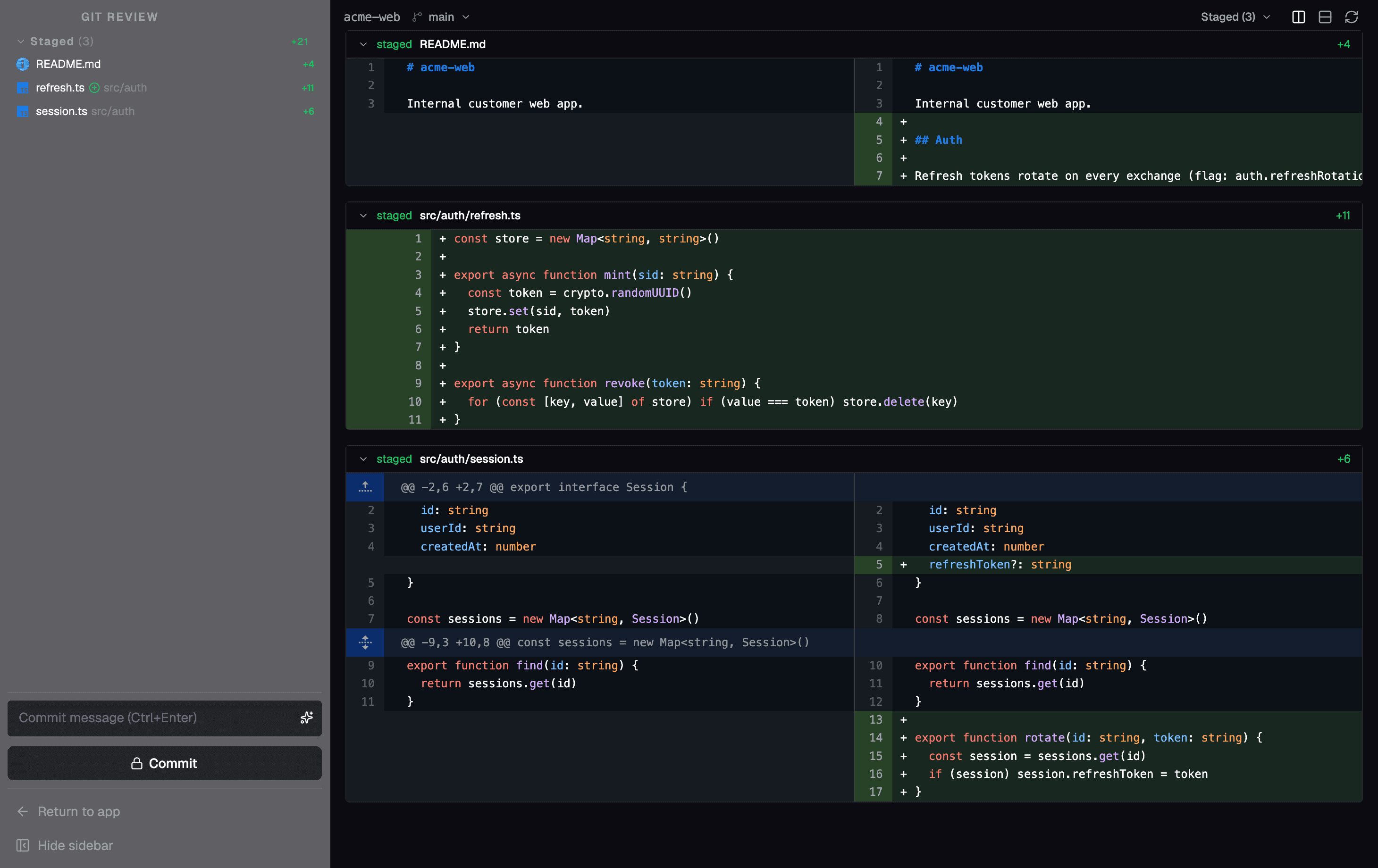
In-App PRs
Review pull requests, browse diffs, stage changes, and generate AI commits — then let automation watch the PR, fix what fails, merge with your chosen method, and mark the thread done.
04 / 05
Built-in Browser
Open web pages, attach browser context to agents, and keep research in the same workspace.
05 / 05
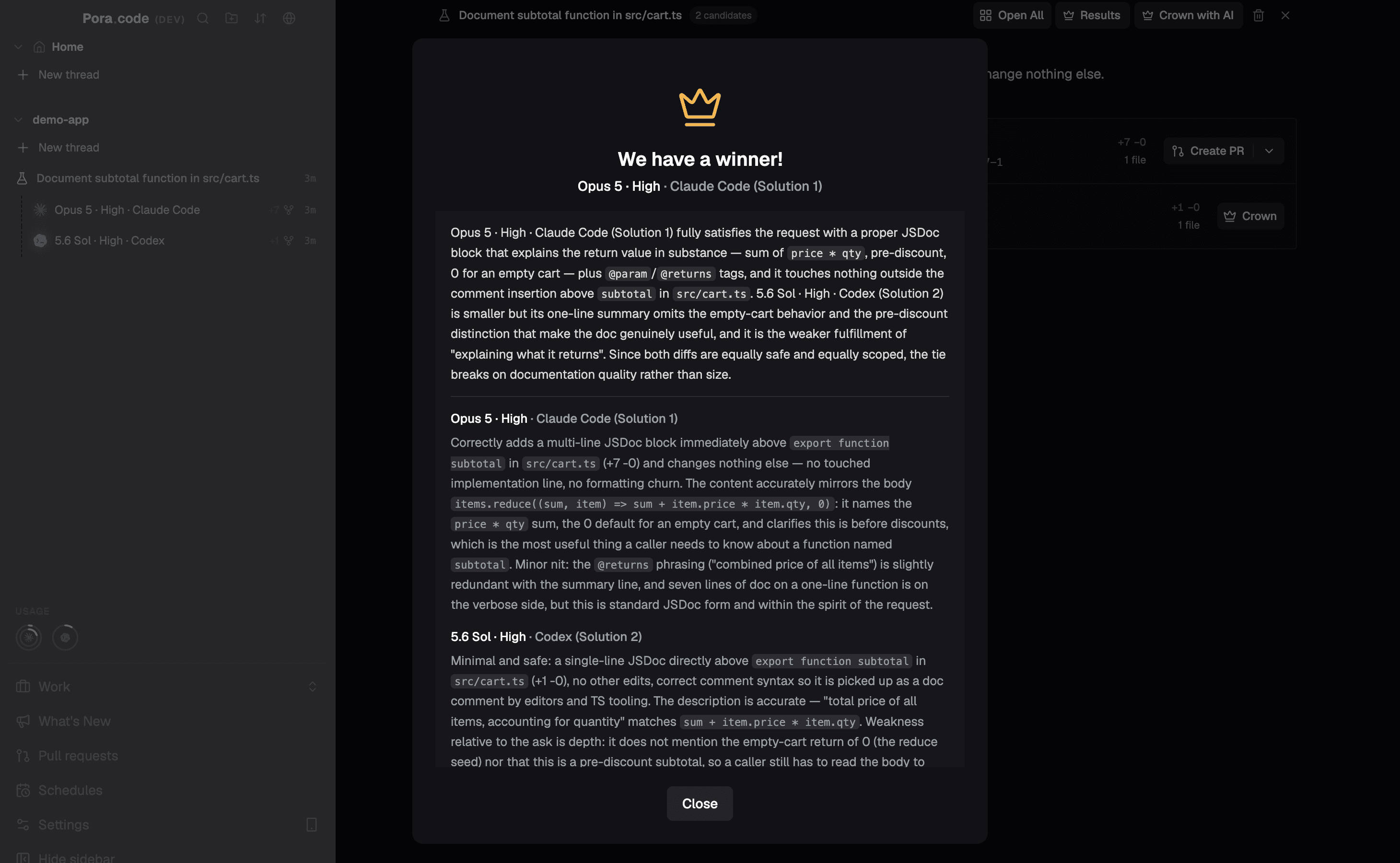
Agent Experiments
Run one prompt across several agents in parallel worktrees, then let an AI judge compare their code and their answers, crown a winner, and merge it or open a PR.
Every surface
One window, the whole loop
Browse, edit, review, take notes, and ship — every panel here is a real part of Poracode, captured live.
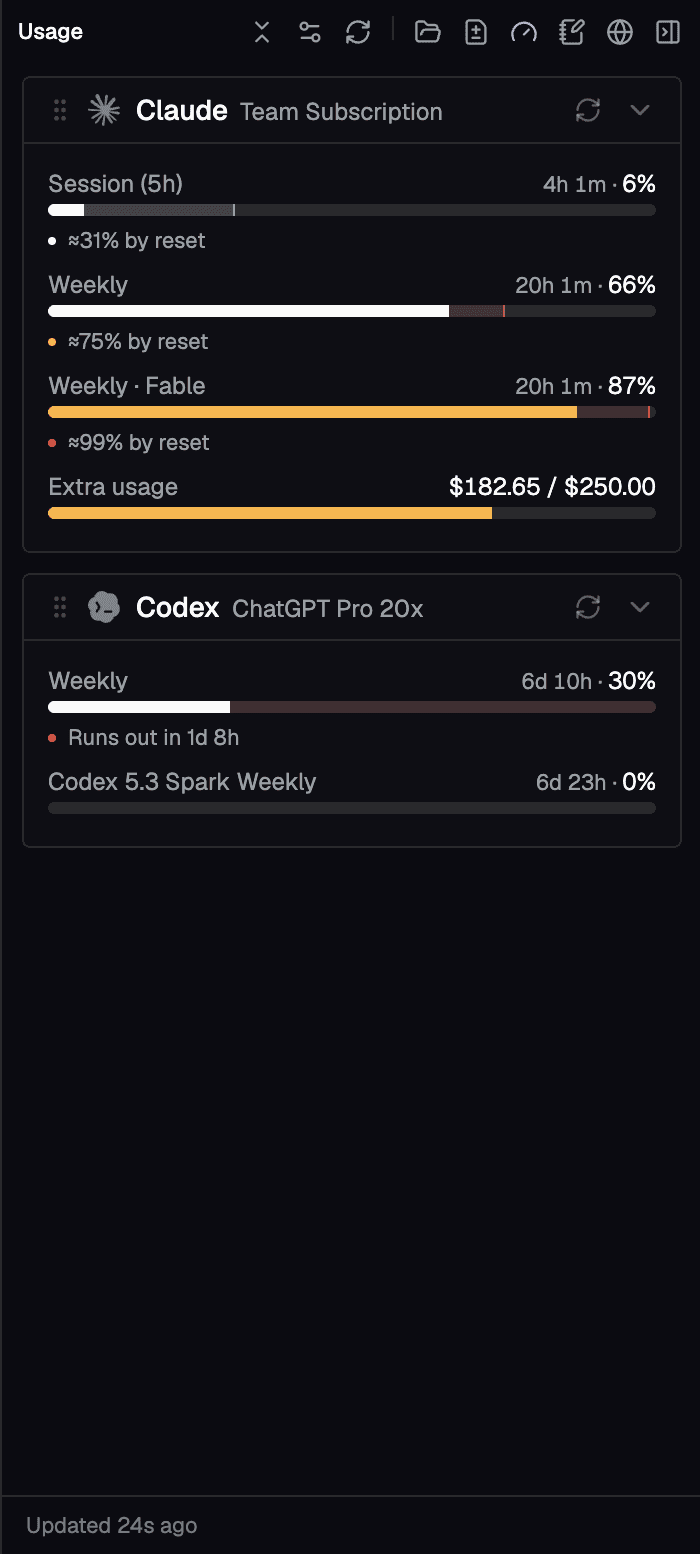
Live Usage & Limits
See session and weekly quota for every provider — Claude Max, ChatGPT Pro, and more — at a glance.
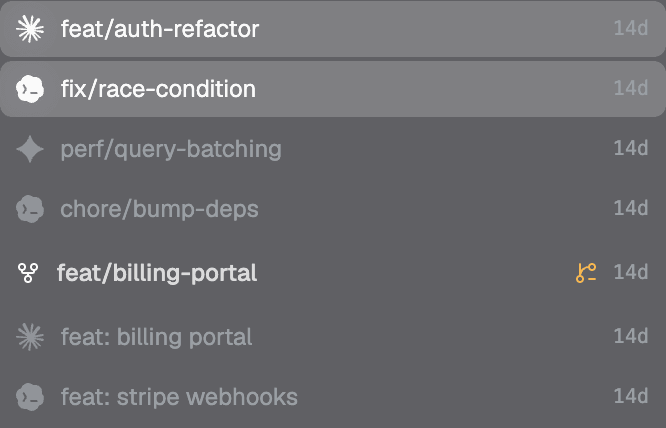
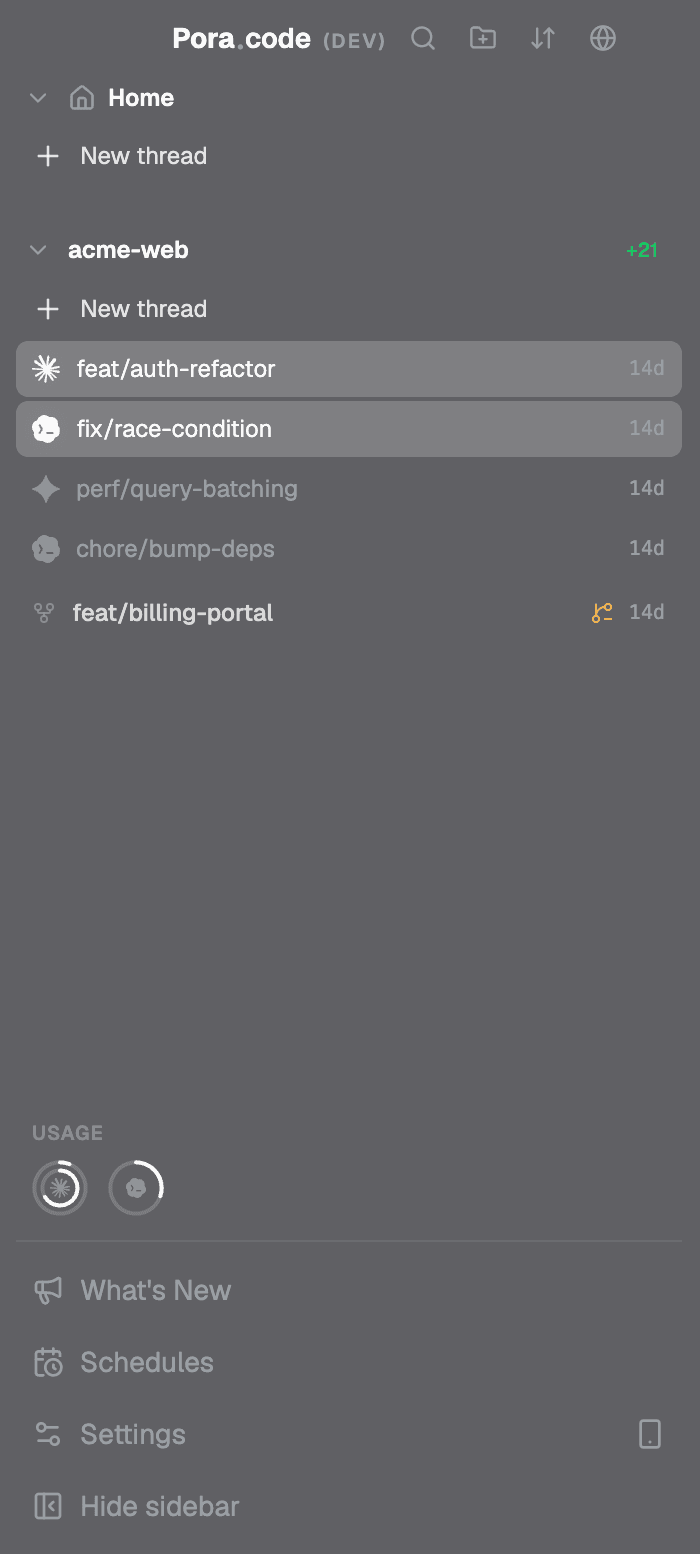
Git Worktrees
Group threads by worktree and drive parallel branches side by side, without leaving the app.
Project Notes & To-Dos
Keep a rich notes document and a running to-do list scoped to each project, saved as you type.
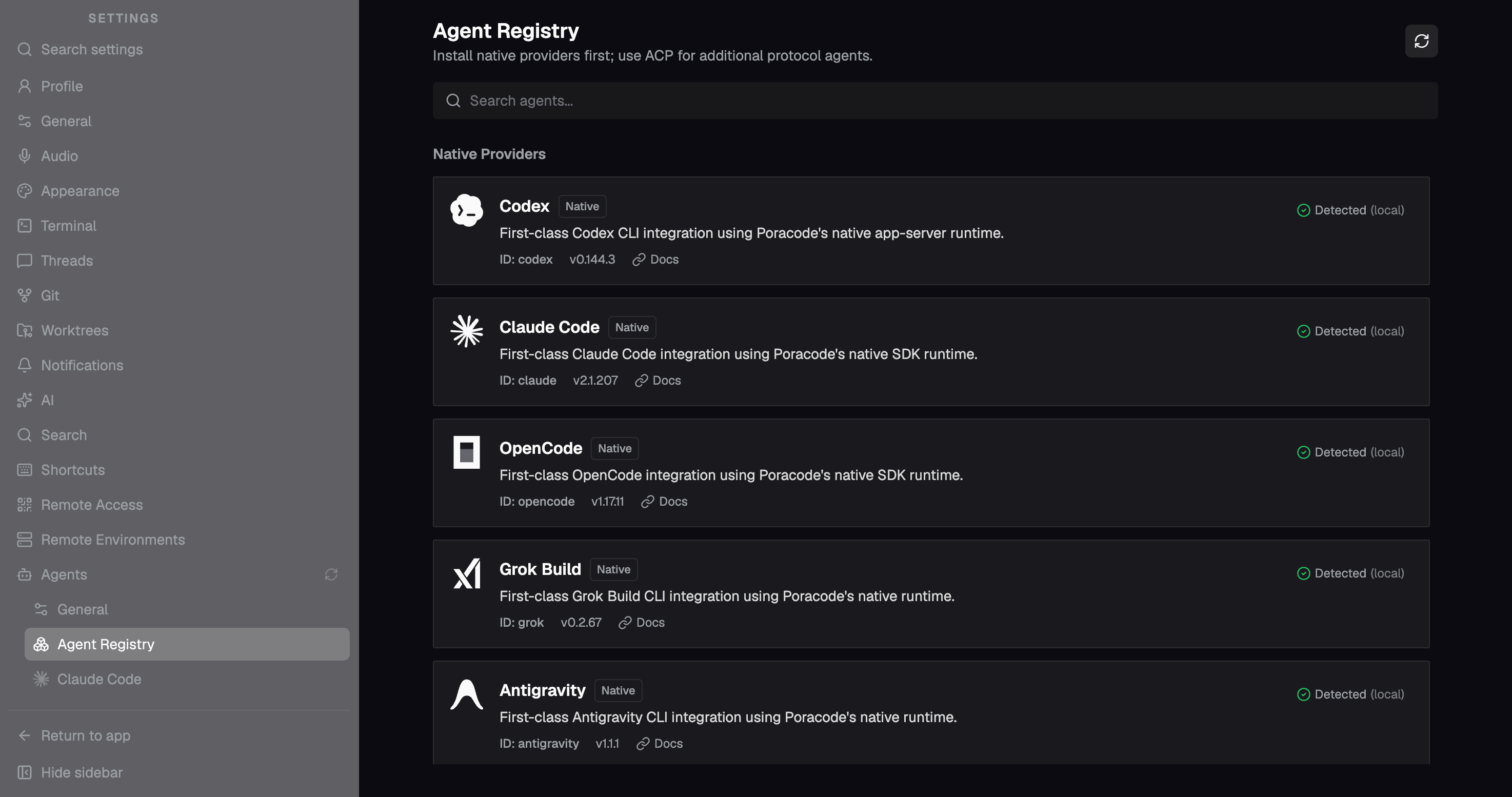
Agent Registry
Install native providers and add any ACP-compatible agent from the registry, auto-detected locally.
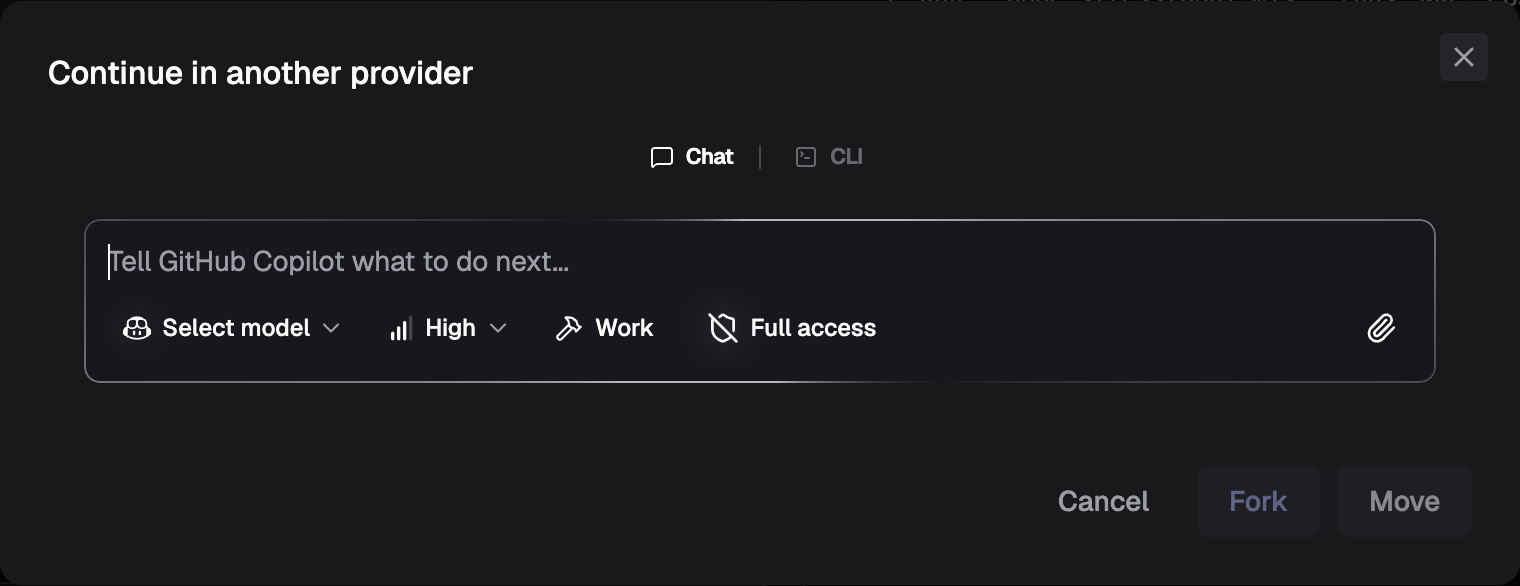
Continue in Another Provider
Fork or move a conversation to a different agent — keep the full context, switch the model.
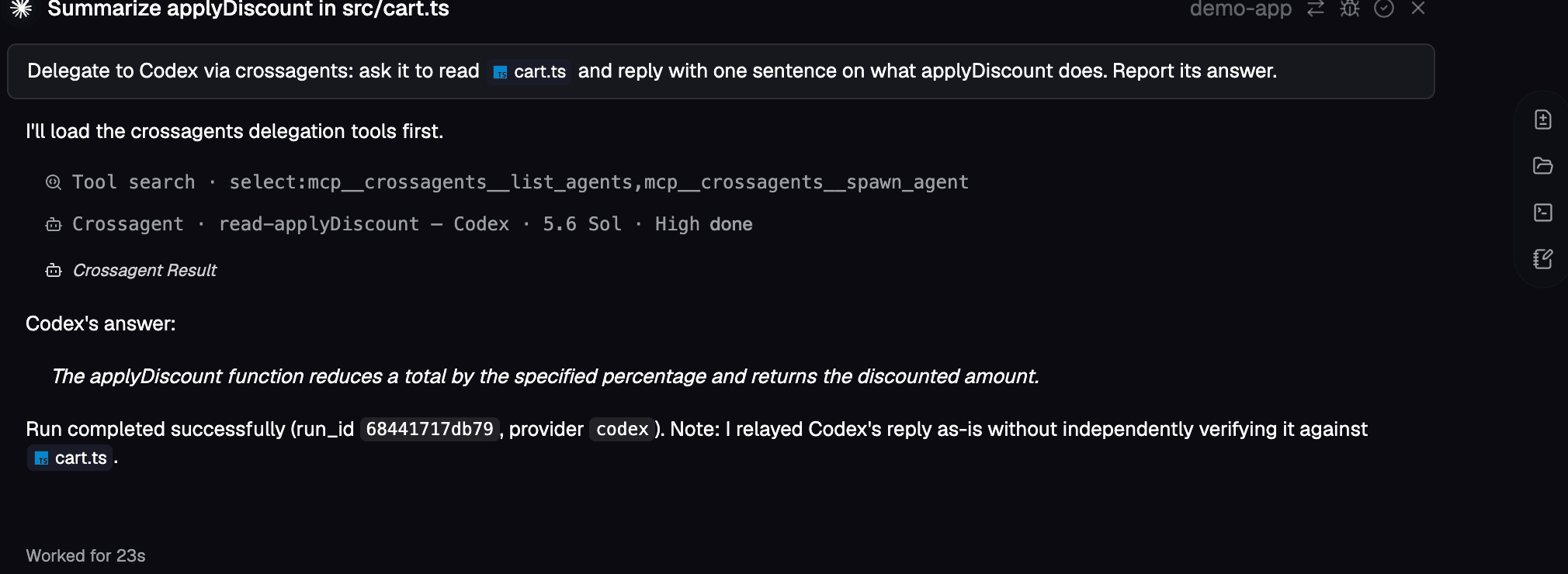
Crossagents
Claude spawns Codex through Crossagents and relays the answer, right inside the parent transcript.
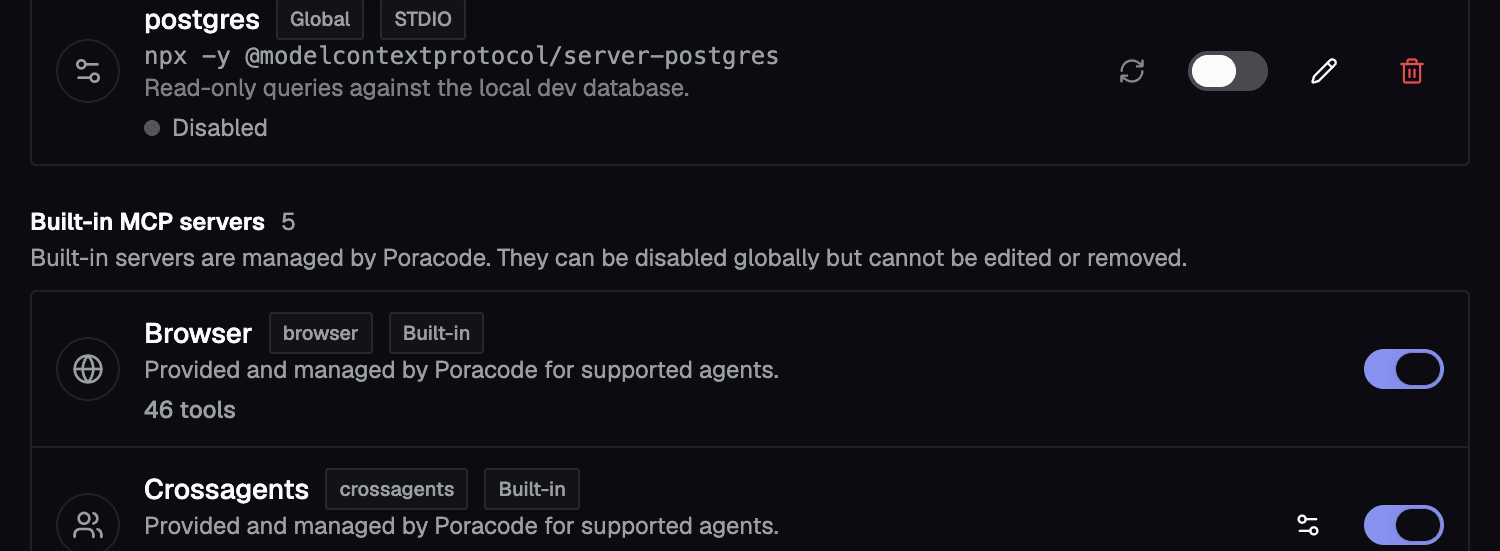
MCP, yours and ours
Your servers over stdio, HTTP, or SSE, next to five built-in ones — each toggleable down to a single tool.
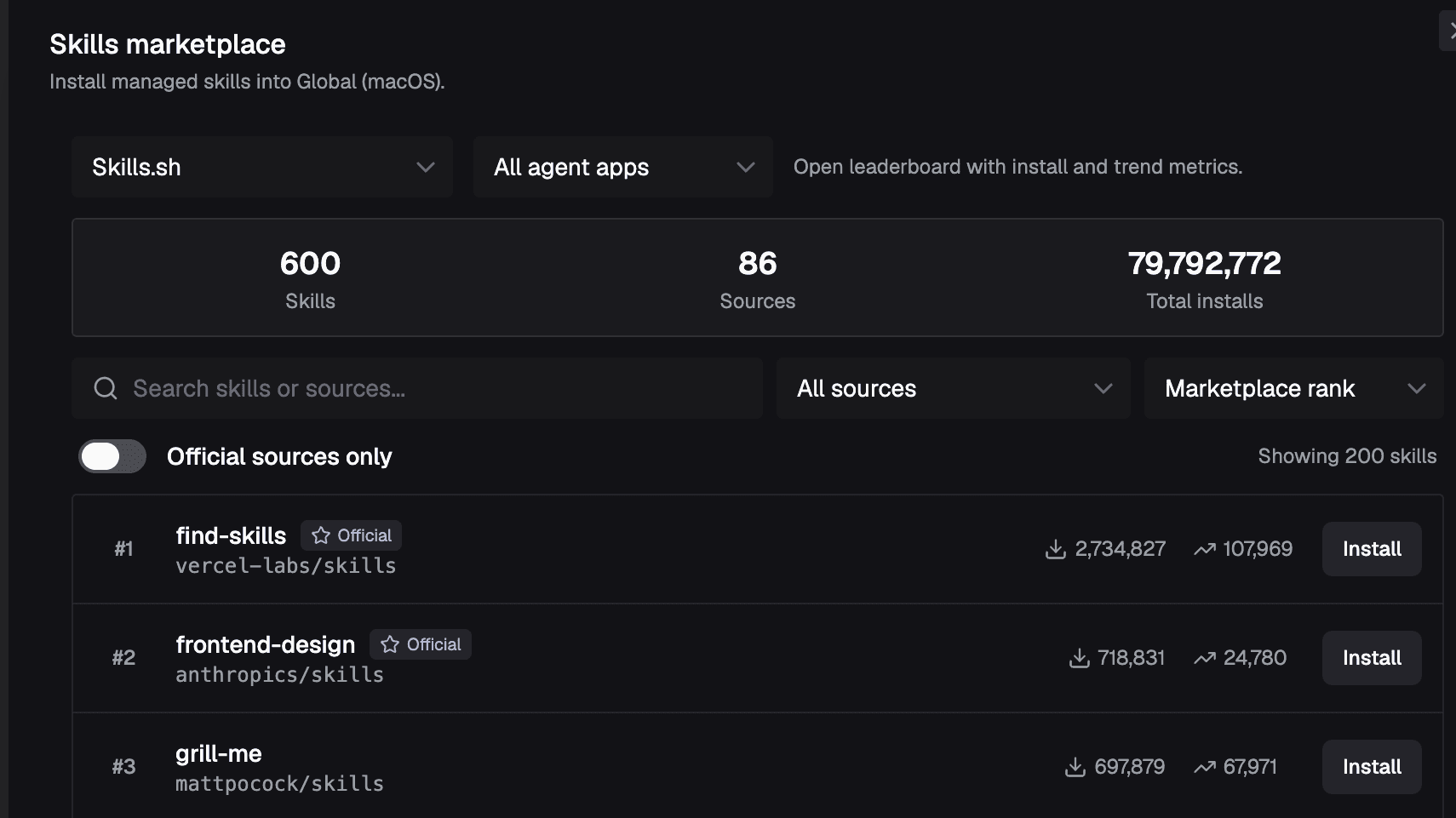
Skills & Marketplace
Browse and install skills from public marketplaces, or import your own — one shared folder that every provider picks up automatically.
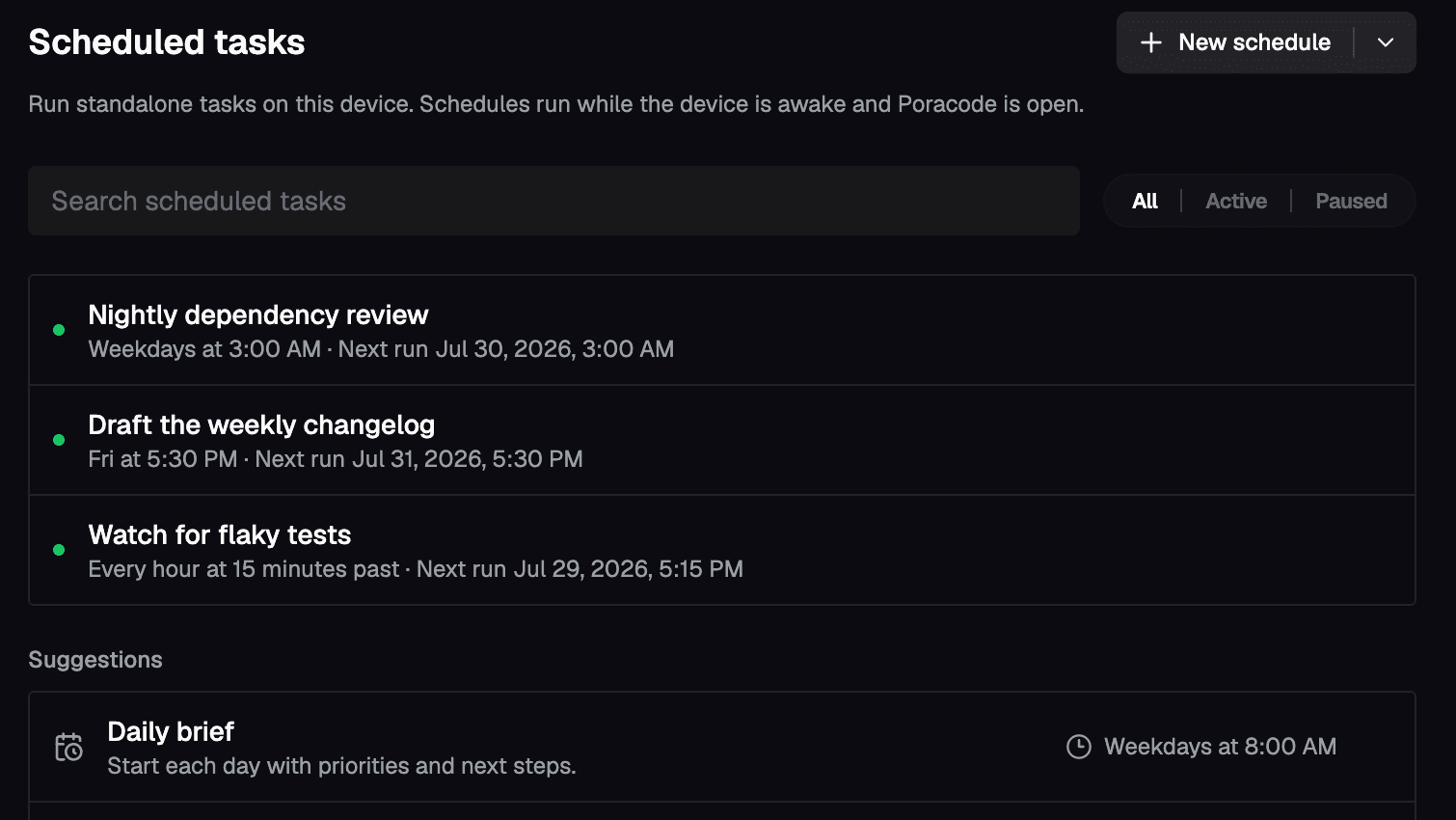
Scheduled Runs
Put recurring work on a schedule — nightly reviews, dependency sweeps, changelog drafts — and let Poracode start the thread for you.
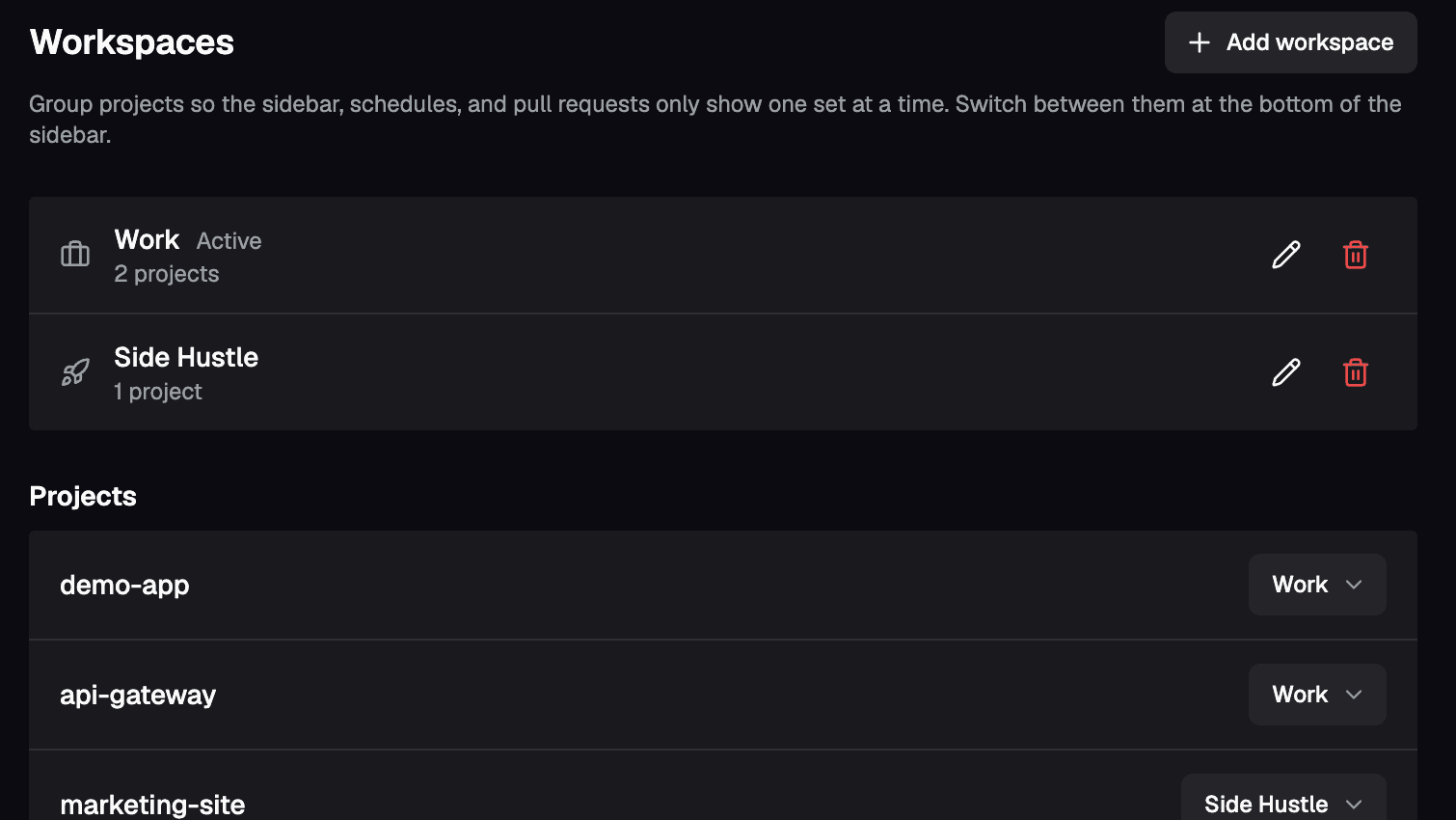
Project Workspaces
Group projects into workspaces and switch the whole sidebar between them, so dozens of repos stay one click apart.
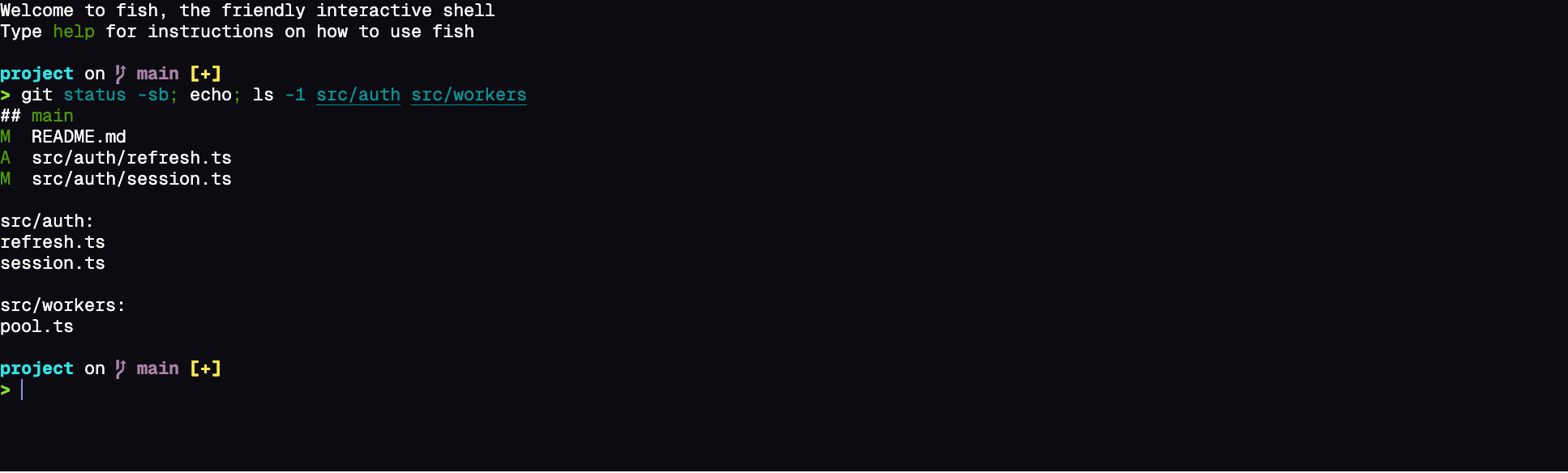
Terminal Fidelity
Run CLI agents in real terminal sessions, with the same output and controls you expect from your own shell.
The smaller things
The rest of the day-to-day
Small features you notice on day two — the ones that decide whether a tool sticks.
Search every thread
Jump to any past conversation by what was said in it, across every project.
Palette & slash commands
Run anything from one palette, and reach commands, files, and skills from the composer with / and @.
Start a thread from anywhere
A global shortcut summons a quick composer over any app, and the system tray reopens recent threads.
Notifications that reach you
System notifications and sounds when a thread finishes or needs you — plus web push to your phone.
Plans, goals & to-dos
A thread's plan, goal progress, and to-do list live in the right-hand panel, with edit, pause, resume, and clear controls on desktop and mobile alike.
Every PR in one list
Track pull requests across every project and GitHub account in one view, with check status and run times.
Conflicts an agent settles
Hand merge and rebase conflicts to an agent of your choosing, with its own model and effort level.
Provider profiles
Keep several accounts per agent, or point a profile at another provider entirely with its own keys, models, and effort tiers.
Your own coding history
A year-long heatmap of prompts and tokens, with streaks, peak days, and a card you can share.
Agent CLIs stay current
Poracode notices when an agent's CLI has a new version and installs it from the thread that needs it.
13 languages
The whole app — menus, dialogs, and errors — is fully translated, not machine-filled English.
Shortcuts you choose
Rebind the shortcuts you actually use, and drive threads, panels, and layouts from the keyboard.
ACP Registry
Built for the entire agent ecosystem
Bring ACP registry agents into the workspace where your coding already happens. Chats, terminals, browser context, and Git changes stay close by, so you can follow the work without bouncing between tools.
 Agoragentic
 Amp
Amp Auggie CLI
 Autohand Code
 Cline
Cline Codebuddy Code
 Cortex Code
 Corust Agent
 crow-cli
 DeepAgents
 DimCode
 Dirac
Dirac Factory Droid
 fast-agent
 GLM Agent
 goose
goose Junie
Junie Kilo
Kilo Kimi CLI
 Minion Code
 Mistral Vibe
 Nova
Nova pi ACP
 Poolside
 Qoder CLI
 Qwen Code
 siGit Code
 Stakpak
 VT CodeAgoragenticAmpAuggie CLIAutohand CodeClineCodebuddy CodeCortex CodeCorust Agentcrow-cliDeepAgentsDimCodeDiracFactory Droidfast-agentGLM AgentgooseJunieKiloKimi CLIMinion CodeMistral VibeNovapi ACPPoolsideQoder CLIQwen CodesiGit CodeStakpakVT CodeAgoragenticAmpAuggie CLIAutohand CodeClineCodebuddy CodeCortex CodeCorust Agentcrow-cliDeepAgentsDimCodeDiracFactory Droidfast-agentGLM AgentgooseJunieKiloKimi CLIMinion CodeMistral VibeNovapi ACPPoolsideQoder CLIQwen CodesiGit CodeStakpakVT CodeAgoragenticAmpAuggie CLIAutohand CodeClineCodebuddy CodeCortex CodeCorust Agentcrow-cliDeepAgentsDimCodeDiracFactory Droidfast-agentGLM AgentgooseJunieKiloKimi CLIMinion CodeMistral VibeNovapi ACPPoolsideQoder CLIQwen CodesiGit CodeStakpakVT Code
Frequently asked questions
Poracode for AI coding agents
What is Poracode?+
Poracode is a cross-platform desktop app for running AI coding agents in one focused workspace. It keeps terminal sessions, structured chats, browser previews, diffs, branches, and handoffs together.
Which AI coding agents does Poracode support?+
Poracode ships native adapters for Claude Code, Codex, Gemini CLI, Cursor, Copilot, OpenCode, Antigravity, Grok, Factory Droid, Kimi Code, Qwen Code, Pi, Qoder, and Command Code, plus roughly thirty more agents from the ACP Registry — with both terminal-native and GUI-style workflows.
Is Poracode free?+
Yes. Poracode is free and open source under the Apache-2.0 licence, and the source is on GitHub. There is no subscription, licence key, or paid tier — you bring your own agent subscriptions and API keys, and Poracode talks to those providers directly from your machine rather than proxying through a server of ours.
Can an agent control Poracode itself?+
Yes. Poracode ships built-in MCP servers that expose the app to any agent that speaks MCP. An agent can create and steer other threads, manage projects and Git worktrees, commit, open and merge pull requests, add other MCP servers, switch skills on or off, schedule recurring runs, and change app settings. A separate Crossagents server lets one agent hand work to any other agent you have installed, with the subagent's output streaming into the parent thread.
Does Poracode replace my existing agent subscriptions?+
No. Poracode is bring-your-own-agent: keep your existing subscriptions and API keys, then use them from a single desktop workspace.
Can Poracode run on macOS, Windows, and Linux?+
Yes. Poracode ships installers for macOS, Windows, and Linux, including Apple Silicon, Intel Mac, Windows x64, Windows ARM64, and Linux AppImage builds.
How is Poracode different from a normal AI chat app?+
Poracode is built around real development work: persistent threads, real PTY terminals, Git diffs, worktrees, browser previews, and provider-agnostic orchestration for multiple coding agents.
Universal orchestrator for AI coding agents
A professional workstation built for developers who want full control over their AI coding assistants.
Free & open source — Apache-2.0